How to use the Coloring Page Generator
Turn any photo into a printable coloring page with clean outlines, great for kids, parties and gifts. You see a free preview before you pay.
Open the Coloring Page Generator →
Step by step
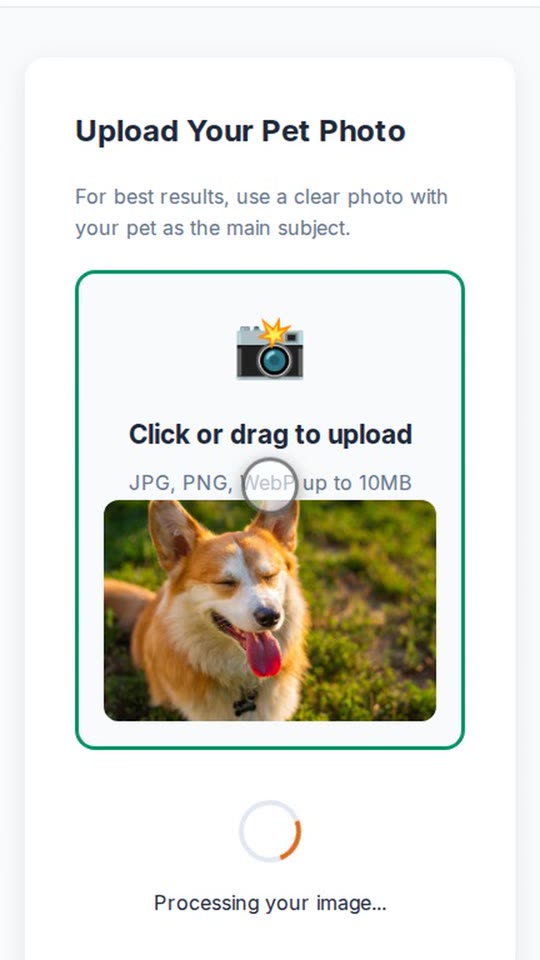
- Upload a photo
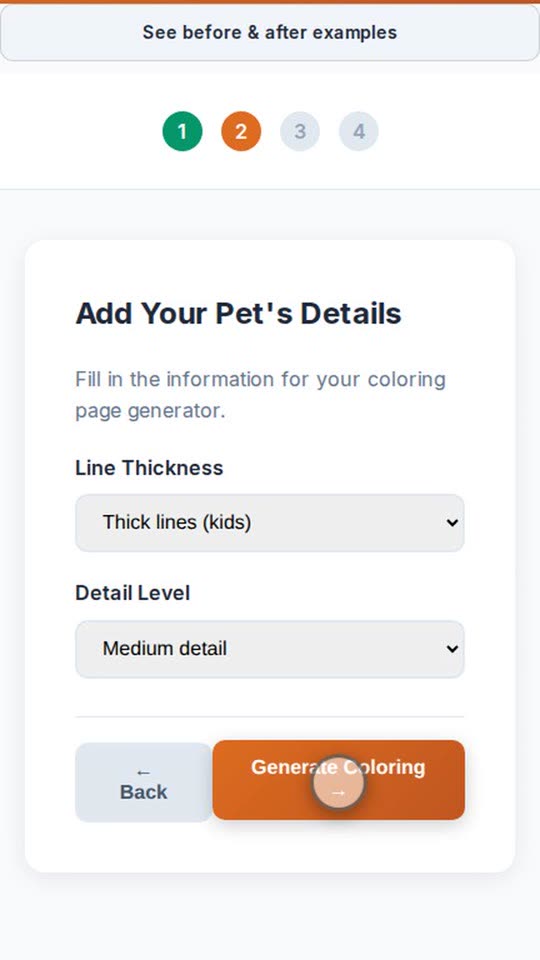
Tap the upload box and choose a photo from your phone or computer. A clear photo of a face, a family or a pet works best. - Choose the lines
Pick the line thickness and the amount of detail. Thick lines with medium detail are easiest for kids to colour. - Generate and preview
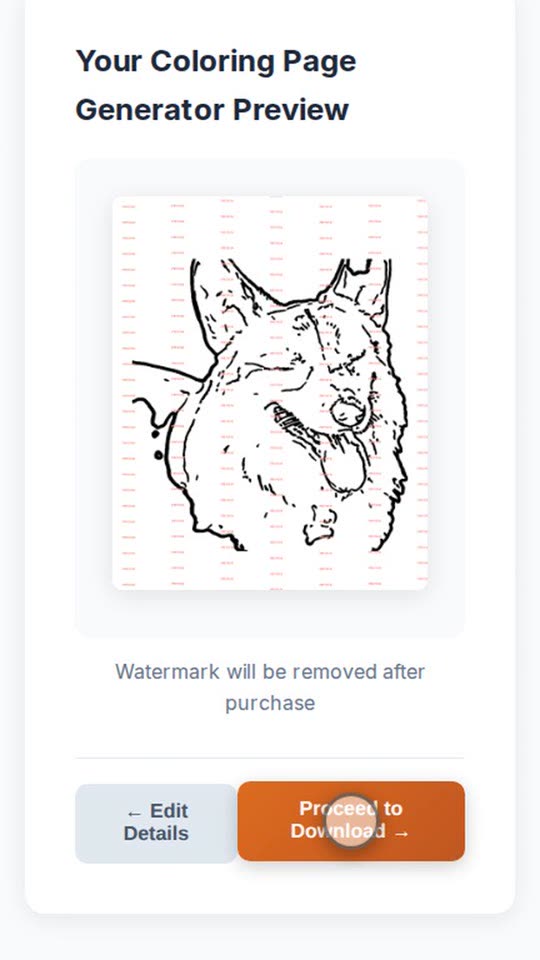
Tap Generate. In a few seconds you see your coloring page as a full preview. - Download
Download your coloring page as a high-resolution file, or order it as a canvas, poster or mug.