Surprise trips & gifts
How to turn a photo into a drawing or painting (and which style to pick)
A good photo can become a pencil sketch, a charcoal drawing, a watercolor or a bright pop art print in under a minute. The trick is matching the style to the photo. Here's what each style does well, which photos work best, and how to get a result worth framing.
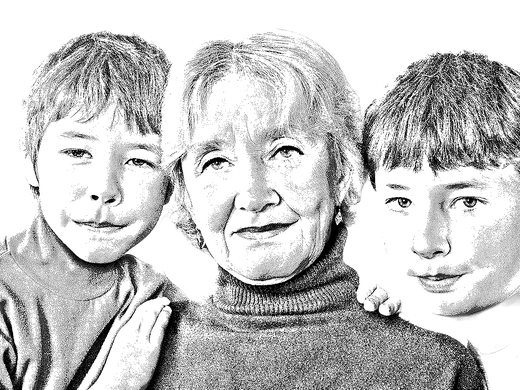
Before and after
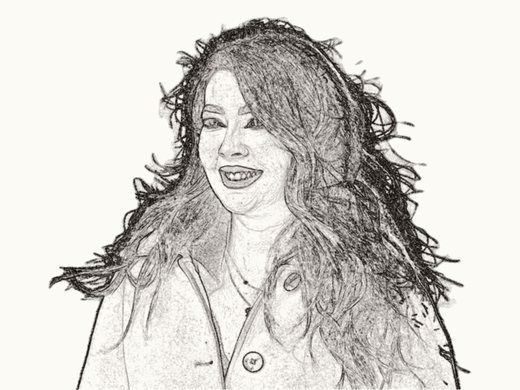
Here's the original photo used for the pencil sketch above: an ordinary, well-lit family snapshot. Nothing fancy. What made it work is that the faces are large, close together and evenly lit.

The styles, and when to use each
Pencil sketch
Best for: family portraits, grandparents, timeless gifts. Photo: faces close up, soft even light, not too much background. The Pencil Sketch keeps the fine detail of faces and hair, and looks great in a plain white frame.
Upload a photo, preview it right away.
Charcoal drawing
Best for: single portraits with character, like curly hair, a big smile or older faces. Photo: strong light from one side gives charcoal its depth. The Charcoal Drawing has a warmer, softer look than pencil.
Watercolor
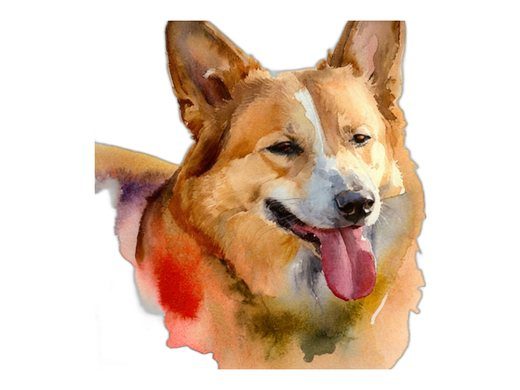
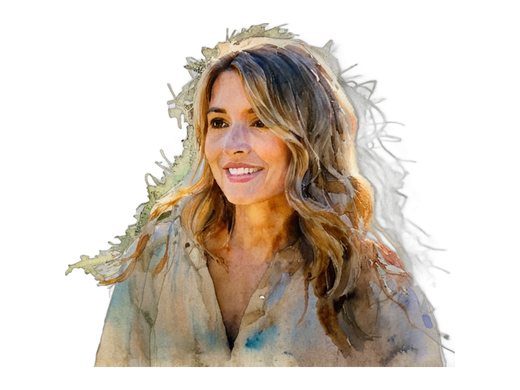
Best for: pets, children and anything you want soft and warm. Photo: bright colours and a clear subject. The background is removed, so the subject floats on white like a painted portrait. Try Watercolor.
Pop art
Best for: fun gifts, pets with personality, teenagers' rooms. Photo: a strong face shot with clear outlines; busy backgrounds get lost. Pop Art makes four bright Warhol-style panels.
Stained glass
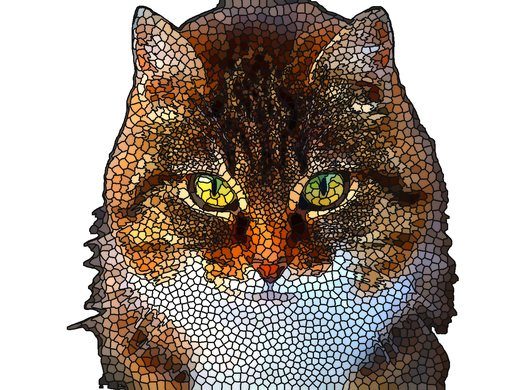
Best for: pets and memorial pieces with lots of colour. Photo: colourful subject, sharp eyes. Stained Glass turns it into hundreds of glowing tiles.
Line art and coloring pages
Best for: kids, minimalist prints, tattoos and embroidery ideas. Photo: simple, high-contrast shots. Line Art gives clean outlines; the Coloring Page Maker makes printable pages kids can color in, like a coloring book of their own dog.
Other styles to try
There are more than 30 photo styles on DigitalPrank, grouped on the tools page: drawings and paintings (comic, woodcut, mosaic, low poly, dot art), photo effects (vintage, neon, duotone, halftone, color splash, blueprint, constellation, zodiac), and frames and crafts (heart, circle and paw frames, paper cut, stencil, patterns).
How to choose the right photo
- Sharp eyes. Zoom in on the eyes. If they're blurry, the artwork will be too.
- Big subject. The face or pet should fill most of the photo. Crop before you upload if needed.
- Daylight. Natural light from a window beats flash every time. Flash flattens faces and makes red eyes.
- Simple background. A wall, the sky or a lawn. Busy backgrounds confuse the outlines, though most styles remove the background for you.
- No heavy filters. Start from the original photo, not one that already has an app filter on it.
People, pets or groups?
Single people: almost every style works. Charcoal and pencil flatter older faces with lots of character; watercolor flatters children and soft features.
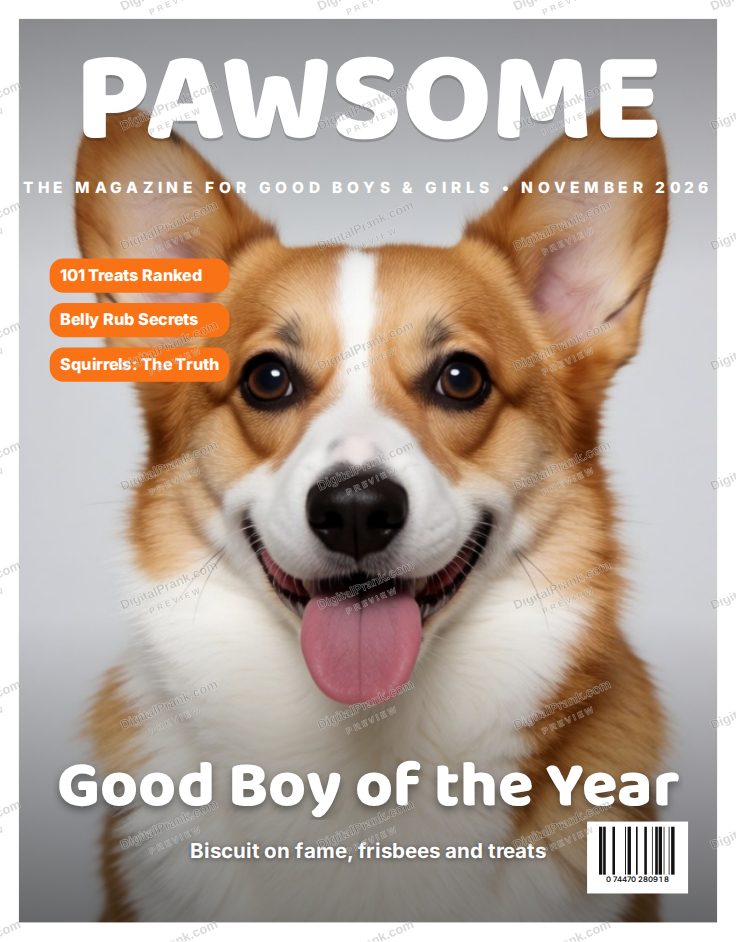
Pets: watercolor, pop art and stained glass are the favourites, because fur and bright eyes carry the image. Get the photo at the pet's eye level, ideally outdoors, with the face filling the frame. A photo where the ears are cut off will look odd as art.
Couples and groups: stick to two or three people standing close together. Pencil and line art handle groups best because they keep the outlines of each face. Large group photos (ten people in a row) come out too small to read in any style, so crop to the people who matter for the gift.
Old photos: a scanned print from the 70s can look wonderful as a pencil sketch or charcoal drawing, which hides the grain and faded colours. Photograph the print in daylight, straight on and without glare, then crop it before uploading.
Which style for which gift?
- Grandparents: pencil sketch of the grandchildren
- Dog or cat lover: watercolor or stained glass
- A teenager: pop art of their pet or best friend
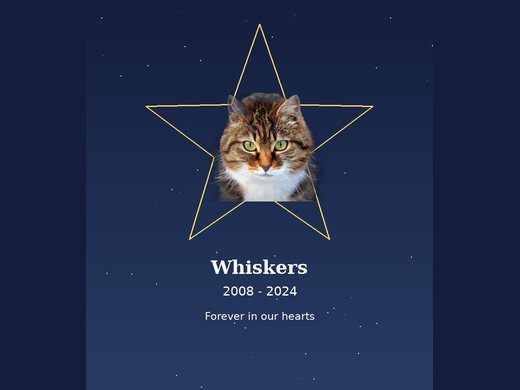
- A memorial: watercolor or pencil, with the name and years added
- Kids: a coloring page of their own pet
- A couple: a pencil sketch of their wedding photo
Step by step
- Open the style you want, for example the Pencil Sketch.
- Upload your photo (JPG, PNG or WebP). Many styles remove the background automatically.
- Look at the preview. If it's not right, try a different photo: the photo matters more than any setting.
- Download the high-resolution file. For many styles you can also order it as a canvas, poster or mug.
What to do with it
- Frame it as a gift: a pencil sketch for a grandparent, a watercolor of the family dog. More ideas in our photo gift guide.
- Make it a memorial for a pet or person you've lost. See pet memorial ideas.
- Use it as a profile picture or a card design: an illustrated look stands out.
- Print coloring pages for a kids' party: one page per child, of their own pet.
One photo, preview before you buy.